Table of Contents
If you manage a hospital, nursing home, clinic or diagnostic centre in India — you have almost certainly heard the term "hospital management software." But what exactly is it? How does it actually work in a real hospital? What problems does it solve? And is it really necessary for your facility in 2026?
This complete guide answers every question you might have about hospital management software — from the basics of what it is to the specific modules it includes, how it is implemented, and what results hospitals across India are experiencing after adoption.
What is Hospital Management Software
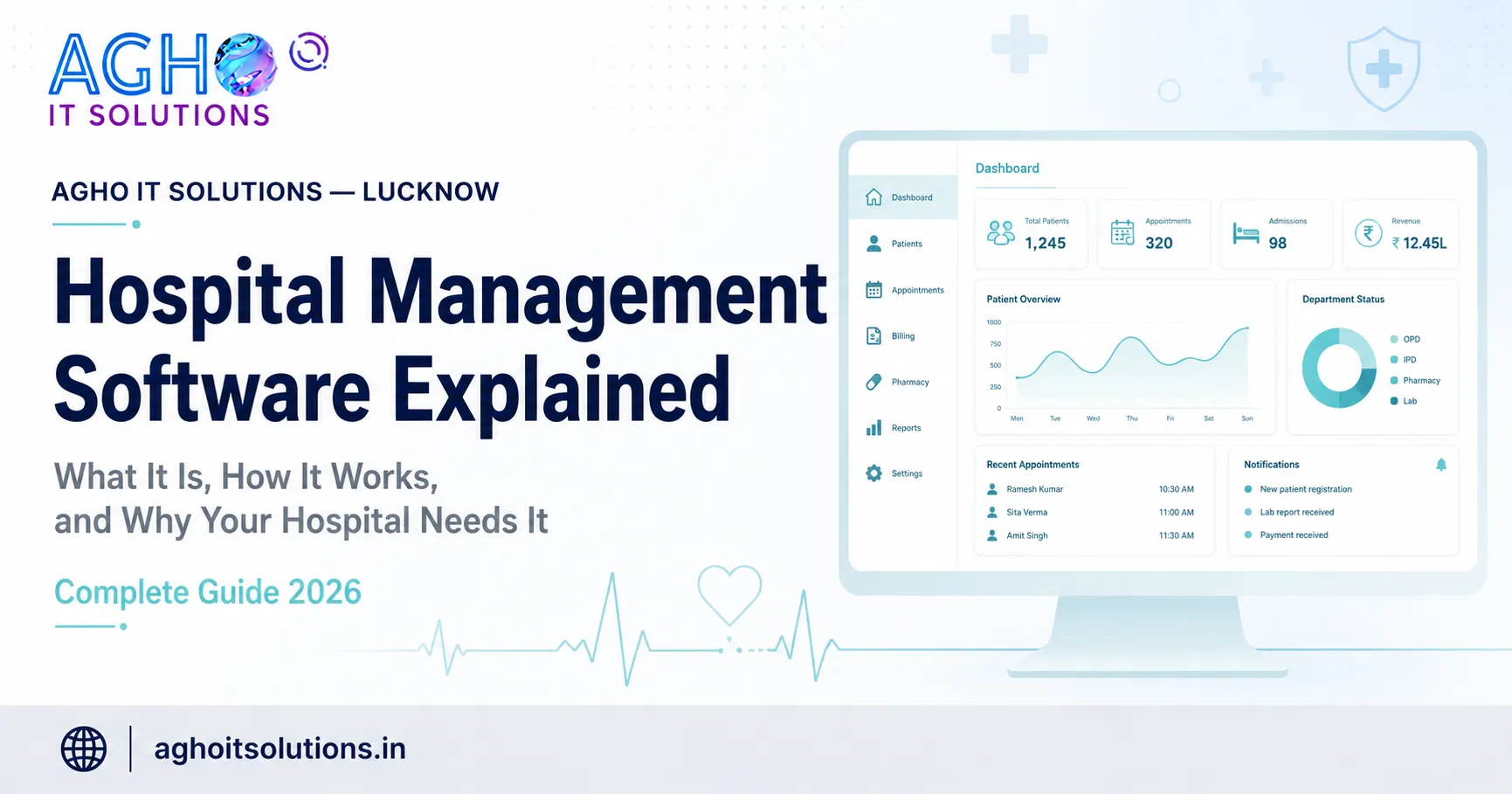
Hospital management software — also known as HMS, hospital information system (HIS), or healthcare management software — is a complete digital platform that manages all the administrative, clinical and financial operations of a hospital or healthcare facility from one centralised system.
In simple terms, hospital management software replaces paper registers, manual billing, physical pharmacy stock books, handwritten lab reports and disconnected spreadsheets — with a single digital system where all information is stored, updated and accessed in real time.
Think of it as the central nervous system of a hospital. Just as the nervous system connects every part of the body and coordinates all functions, hospital management software connects every department — reception, OPD, IPD, pharmacy, laboratory, billing, HR — and coordinates all their operations from one platform.
Why Hospitals Need Management Software in 2026
Before understanding how hospital management software works, it is important to understand the specific problems it solves — because these are the problems that most hospitals and clinics in India are experiencing right now.
Problem 1 — Patient information is scattered. In hospitals without software, a patient's records — past consultations, medications, test results, allergies — are spread across multiple registers in different departments. Doctors waste time searching for records instead of focusing on patient care.
Problem 2 — Billing errors cost money. Manual billing means charges are missed, duplicated or incorrectly calculated. A hospital with 100 patients per day losing even Rs 100 per patient in billing errors loses Rs 36,50,000 per year.
Problem 3 — Pharmacy stock is unpredictable. Without a digital system, pharmacies regularly run out of important medicines or overstock items that expire. Both scenarios cost money and affect patient care.
Problem 4 — Reports take hours to prepare. Hospital administrators and owners need daily reports on patient counts, revenue, outstanding payments and department performance. Preparing these manually takes hours every day.
Problem 5 — Communication between departments is slow. A doctor writing a prescription in OPD, a pharmacist dispensing medicines, and a billing executive generating an invoice all need the same information — but without software, they each work from separate paper records.
Hospital management software solves all five of these problems simultaneously.
How Hospital Management Software Actually Works — Step by Step
The best way to understand how hospital management software works is to follow a patient through a complete hospital visit using the software.
Step 1 — Patient Arrives at Reception
A patient walks into the hospital. The receptionist opens the hospital management software on their computer. If it is a new patient, they register the patient's complete details — name, age, address, contact number, emergency contact, and any known medical history or allergies. The system automatically generates a unique patient ID.
If it is a returning patient, the receptionist types the patient's name or ID and their complete history — all previous visits, diagnoses, prescriptions, test results — appears instantly on screen.
Step 2 — OPD Consultation
The patient is directed to the doctor's room. The doctor opens the same software and can see the patient's complete history immediately. After the consultation, the doctor types the diagnosis and prescription directly into the software. The prescription is instantly visible to the pharmacy — no paper prescription needed.
Step 3 — Lab Tests if Required
If the doctor orders lab tests, the test order appears in the lab department's software immediately. The lab technician processes the test, enters the results into the software, and the report is instantly visible to both the doctor and the billing department.
Step 4 — Pharmacy Dispensing
The pharmacist can see the doctor's prescription on their screen. They dispense the medicines, the system automatically deducts the quantity from pharmacy stock, and the medicines dispensed are automatically added to the patient's billing.
Step 5 — Billing and Payment
The billing executive can see all the charges automatically calculated — consultation fee, lab tests, medicines dispensed — in one place. They generate the invoice with one click. The patient pays and a receipt is printed automatically. The payment is recorded in the accounts module immediately.
Step 6 — Reports and Analytics
At the end of the day, the hospital administrator opens the software and sees a complete dashboard — total patients seen, revenue collected, outstanding payments, medicines dispensed, and department-wise performance. Reports that previously took hours are generated in seconds.
The Key Modules of Hospital Management Software
A complete hospital management software includes multiple modules — each handling a specific area of hospital operations.
Patient Registration Module — Manages complete patient demographics, medical history, and visit records. Every patient gets a unique ID that follows them through all departments.
OPD Management Module — Manages outpatient appointments, queue management, doctor schedules, consultation records and prescription generation.
IPD and Ward Management Module — Manages inpatient admissions, bed allocation, ward transfers, daily nursing notes, doctor visit records and discharge summaries.
Pharmacy Management Module — Manages complete medicine inventory, purchase orders, stock levels, expiry tracking and dispensing records linked to patient bills.
Laboratory Management Module — Manages test orders, sample collection, result entry, normal range validation and professional report generation.
Billing and Accounts Module — Generates invoices automatically from all departments, manages all payment modes, tracks outstanding payments and produces financial reports.
HR and Payroll Module — Manages staff records, attendance, leaves and salary calculation.
MIS and Analytics Module — Produces all management reports — daily patient count, revenue analysis, department performance, doctor productivity and much more.
Insurance and TPA Module — Manages cashless insurance claims, TPA billing and claim tracking.
How Hospital Management Software is Implemented
One of the most common concerns hospital administrators have is how disruptive the implementation process will be. Here is what actually happens when a hospital implements Agho IT Solutions hospital management software.
Week 1 — Configuration and Setup
Our team configures the software for your specific hospital — setting up departments, doctor profiles, bed categories, fee structures, lab test lists and pharmacy formulary. This is done remotely or at your facility.
Week 2 — Data Migration
If you have existing patient records, we migrate them into the new system so your history is not lost.
Week 3 — Staff Training
We conduct hands-on training for every staff member — receptionists, doctors, pharmacists, lab technicians, billing executives and management. Each person learns exactly the screens and functions they will use daily.
Week 4 — Go Live with Support
The system goes live. Our team is available on call and WhatsApp throughout the first month to answer any questions and resolve any issues immediately.
What Results Do Hospitals Experience After Implementation
Hospitals across Lucknow and Uttar Pradesh that have implemented our hospital management software consistently report the same results.
Billing errors drop to near zero because all charges are automatically calculated and linked to patient records. Revenue increases because charges that were previously missed — medicines not billed, tests not charged — are now captured automatically. Administrative work reduces by 60 to 70 percent as manual registers are replaced by digital records. Patient experience improves as waiting times reduce and records are instantly available. Management visibility improves as real-time dashboards replace manual daily reports.
Is Hospital Management Software Suitable for Small Clinics
Yes — absolutely. Hospital management software is not only for large multispeciality hospitals. Small clinics, single-doctor practices, dental clinics, eye clinics, physiotherapy centres and diagnostic centres all benefit from management software.
In fact, small clinics often see the biggest impact because the same number of staff can handle significantly more patients when administrative tasks are automated.
Our basic clinic management system starts from Rs 15,000 — making professional healthcare software accessible for every type of facility regardless of size or budget.
Get a Free Demo of Hospital Management Software
Agho IT Solutions provides complete hospital management software for healthcare facilities across Lucknow, Barabanki, Hardoi, Unnao, Sitapur, Lakhimpur Kheri, Raebareli and all of Uttar Pradesh. We also serve hospitals in Nepal with the same software at Indian pricing.
Contact us today for a free demonstration at your facility or online. We will show you every module using your hospital's actual workflows so you can see exactly how the software will work before making any decision.
Call or WhatsApp: +91-7905546585
Email: info@aghoitsolutions.in
Website: aghoitsolutions.in
Office: Besides Aadyavika Medicals, L-III/77, Sector-D, Aliganj, Lucknow, Uttar Pradesh 226024
Hospital management software is not an expense — it is an investment that pays back many times over through reduced errors, recovered revenue and improved patient care.