Table of Contents
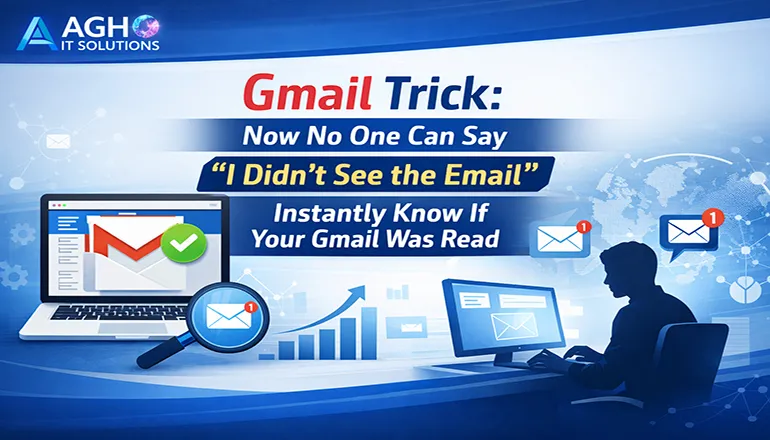
Gmail Trick: Now No One Can Say “I Didn’t See the Email”
Email communication has become the backbone of modern professional interactions. Businesses, freelancers, students, and organizations depend heavily on email for sharing information, proposals, documents, and important updates. However, one common problem that most people face is uncertainty about whether the recipient actually opened the email or not.
Many times recipients claim that they never saw the email, which creates confusion, delays, and sometimes even conflicts in professional communication. Fortunately, Gmail provides smart techniques and tools that allow senders to track whether their email has been opened.
With the right Gmail trick, you can easily know when your email has been read, how many times it has been opened, and even the device used by the recipient. This capability significantly improves accountability and transparency in email communication.
This article explains how Gmail users can track email opens, understand read receipts, and use advanced tools to monitor email engagement effectively.
Understanding the Concept of Email Read Receipts
A read receipt is a notification that informs the sender when the recipient opens an email. It functions as a confirmation that the message has been viewed.
In corporate environments, read receipts are widely used to ensure that important emails have been acknowledged. Gmail includes this feature in certain workspace environments, and additional tools can expand these capabilities.
Read receipts are especially useful in situations such as:
- Business proposals
- Client communication
- Contract discussions
- Internal team updates
- Legal or official documentation
- Customer service communication
When read receipts are enabled, Gmail automatically sends a notification to the sender once the recipient opens the email.
Gmail’s Built-in Read Receipt Feature
Google Workspace accounts include a built-in read receipt system. This feature allows users within organizations to request confirmation when emails are opened.
However, the functionality depends on organizational settings and the recipient may sometimes be asked whether they want to send the receipt.
To request a read receipt in Gmail Workspace:
- Open Gmail and compose a new email
- Click the three-dot menu in the email window
- Select the option to request a read receipt
- Send the email normally
Once the recipient opens the email, Gmail sends a notification confirming that the email was viewed.
This feature is extremely useful for corporate communication where accountability and documentation are important.
Gmail Trick Using Email Tracking Extensions
While Gmail’s native read receipts are limited to Workspace users, powerful email tracking extensions allow any Gmail user to monitor email activity.
These extensions integrate directly with Gmail and provide detailed insights about email engagement.
Popular Gmail email tracking tools include:
- Mailtrack
- Yesware
- HubSpot Email Tracking
- Streak CRM for Gmail
- Boomerang for Gmail
These tools automatically track email opens and provide real-time notifications.
When a recipient opens the email, the sender receives instant alerts along with analytics such as location, device type, and number of views.
How Email Tracking Technology Works
Email tracking tools rely on a small invisible image known as a tracking pixel. This pixel is embedded inside the email.
When the recipient opens the email, the tracking pixel loads from a server. This action triggers a notification that the email has been opened.
The tracking system records information such as:
- Time when the email was opened
- Number of times it was viewed
- Device used by the recipient
- Approximate location of the recipient
This data helps senders understand whether the recipient has engaged with the email.
Advantages of Tracking Gmail Emails
Email tracking is extremely valuable in professional communication. It provides transparency and ensures that important emails are not ignored.
Key benefits include:
- Confirmation that your message has been received and opened
- Improved follow-up strategy with clients or leads
- Better accountability in professional communication
- Increased efficiency in sales and marketing campaigns
- Ability to prioritize responses and follow-ups
For professionals working in sales, consulting, IT services, or marketing, email tracking can significantly improve conversion rates and response times.
Use Cases for Gmail Read Tracking
Email read tracking is beneficial across many industries and professional workflows.
Sales and Marketing
Sales professionals often send proposals and quotations through email. Tracking allows them to know exactly when a client reads the proposal, enabling timely follow-ups.
Business Communication
Managers can verify whether employees have read important updates, project instructions, or internal announcements.
Freelancers and Consultants
Freelancers can confirm whether clients have reviewed project proposals, contracts, or invoices.
Customer Support
Support teams can verify whether customers have opened solution emails or important troubleshooting instructions.
Privacy Considerations of Email Tracking
Although email tracking is extremely useful, users should be aware of privacy considerations.
Some email providers block tracking pixels or prevent automatic loading of images. This may prevent accurate tracking in certain situations.
Recipients who disable image loading may not trigger the tracking notification.
Additionally, ethical email communication requires transparency. Businesses should use email tracking responsibly and avoid misuse of data.
Best practices include:
- Using tracking only for professional communication
- Respecting recipient privacy
- Avoiding excessive tracking or monitoring
Responsible use ensures trust in digital communication.
Alternative Gmail Tricks to Confirm Email Visibility
In addition to tracking tools, several communication strategies can help confirm whether emails are being read.
One effective method is requesting explicit confirmation in the email body. Politely asking recipients to acknowledge receipt encourages response.
Another approach is using follow-up reminders. If the email remains unopened or unanswered, a professional follow-up can bring it back to the recipient’s attention.
Scheduling emails strategically also increases open rates. Emails sent during working hours are more likely to be noticed and opened quickly.
Best Practices for Writing Emails That Get Opened
Even with tracking technology, email effectiveness depends heavily on how the message is written.
Professionals should focus on improving email quality to maximize open and response rates.
Important practices include:
- Writing clear and compelling subject lines
- Keeping email content concise and professional
- Highlighting key information early in the email
- Including clear call-to-action statements
- Avoiding overly long or complicated messages
Strong email communication combined with tracking tools creates a powerful professional communication system.
Future of Smart Email Communication
Email platforms continue to evolve with intelligent features. Artificial intelligence, automation, and analytics are transforming how professionals interact through email.
Future Gmail enhancements may include deeper analytics, smart reminders, predictive follow-ups, and enhanced engagement insights.
Businesses that adopt smart email management techniques today will gain significant communication advantages in the future.
Understanding how recipients interact with emails enables professionals to improve strategy, strengthen communication, and maintain better business relationships.
Conclusion
The common excuse of “I didn’t see the email” can now be easily addressed with Gmail’s smart tracking techniques. Whether using built-in read receipts in Google Workspace or advanced email tracking extensions, senders can quickly determine if their email has been opened.
Email tracking empowers professionals with valuable insights into communication effectiveness. It ensures accountability, improves follow-up timing, and strengthens business interactions.
As digital communication continues to grow, mastering Gmail productivity tricks like email tracking can significantly enhance professional efficiency and collaboration.